

Finding Quality Christian eBook PDFs: A Practical Guide
Ever felt like you’re scrolling through endless PDFs, hoping one will finally speak to your soul?
If you’re a Christian reader searching for guidance, inspiration, or that quiet nudge from God, you’re not alone.
That is exactly why the rise of the christian ebook pdf has become a game‑changer for people who want instant, portable access to Scripture‑based wisdom.
Picture this: you’re on a morning commute, a coffee in hand, and you open a tiny file that feels like a personal devotional.
Instead of flipping through a heavy book, the pdf slides smoothly on any device, letting you highlight verses, add marginal notes, and even share a favorite passage with a friend instantly.
We’ve seen readers tell us that having that flexibility turns a casual read into a daily habit, and habit is where true transformation starts.
But let’s be honest—choosing the right pdf isn’t just about format; it’s about content that aligns with God’s truth and speaks to the challenges you face today.
That’s why Charlene Murray curates each ebook with careful study, prayerful reflection, and real‑world application, so the words you read feel like a conversation with a trusted mentor.
Whether you’re wrestling with doubt, seeking direction for a major life decision, or simply craving fresh encouragement, a christian ebook pdf can become the quiet companion that meets you right where you are.
And because PDFs are instantly downloadable, you can start reading within minutes—no waiting for shipping, no extra cost beyond the ebook itself.
So, what’s the next step? Grab a copy that resonates with your current season, set aside a few quiet minutes each day, and let the pages guide your heart.
Think about the last time you felt truly uplifted after a short reading; now imagine having that lift whenever you need it, right from your phone or tablet, without any distractions.
TL;DR
A Christian ebook PDF gives you instant, portable Scripture‑based wisdom you can read on a commute, in prayer, or whenever life feels overwhelming right now.
Pick a title that matches your current season, download it in seconds, and let the pages guide your heart toward deeper growth and daily encouragement.
Step 1: Identify Trusted Sources for Christian eBook PDFs
Ever caught yourself scrolling through endless PDF libraries, wondering which one actually carries the truth you need? You’re not alone. The first thing we do is pause, breathe, and ask: who’s behind the file?
When a PDF claims to be "Christian" but has no clear author, no publisher info, and a generic cover, that’s a red flag. Think of it like buying coffee from a random stall with no branding – you might get something bitter, or you might get a hidden gem, but the odds are lower.
Check the publisher or author’s reputation
Look for names you recognize in the faith community. Charlene Murray, for instance, has a track record of prayer‑filled research and clear citations. You can even see her work in action by checking out her Divine Direction Christian eBook, which shows a solid editorial process.
But don’t stop at one source. Cross‑reference the ebook with other trusted ministries or well‑known Christian publishers. If multiple reputable sites list the same title, odds are it’s legit.
Verify the content against Scripture
Open the PDF and skim the first few pages. Does the author quote verses with proper references? Are the interpretations aligned with mainstream theology? If something feels off, jot it down – you’ll want to check it later against a Bible or a trusted study guide.
Remember, a genuine Christian ebook will usually include a bibliography, footnotes, or at least a “about the author” section. Those details are the breadcrumbs that lead you to a trustworthy source.
Use community recommendations
Ask your small group, pastor, or online forums dedicated to Christian literature. People love sharing PDFs that have helped them, and you’ll often hear about hidden gems that aren’t on the mainstream shelves.
And while you’re sipping that morning brew, why not pair it with a coffee that’s made for book lovers? A cup from Frostveil Trading Company can turn a quiet reading session into a cozy ritual.
Once you’ve narrowed down a handful of PDFs, run a quick check: do they have a clear copyright page? Is the file size reasonable (not a massive 200‑MB dump of scanned pages)? These technical clues can save you from low‑quality scans that break on your phone.
Watching a short video on how to evaluate ebook sources can cement these steps in your mind. It’s like having a mentor walk you through the checklist, but in a format you can pause and replay.
Another tip: consider the visual design. Professional ebooks have clean layouts, searchable text, and a consistent style. If the PDF looks like a photocopy from the 1990s, you might be dealing with an outdated or unofficial version.
And if you want your reading space to feel as uplifting as the content, a piece of inspirational art can do the trick. Check out Gratitude Studios for landscape paintings that echo the serenity you’re seeking.
Finally, keep a simple spreadsheet: column A for title, B for author/publisher, C for source URL, D for Scripture references checked, and E for personal notes. This little habit turns a chaotic search into an organized library you can return to again and again.
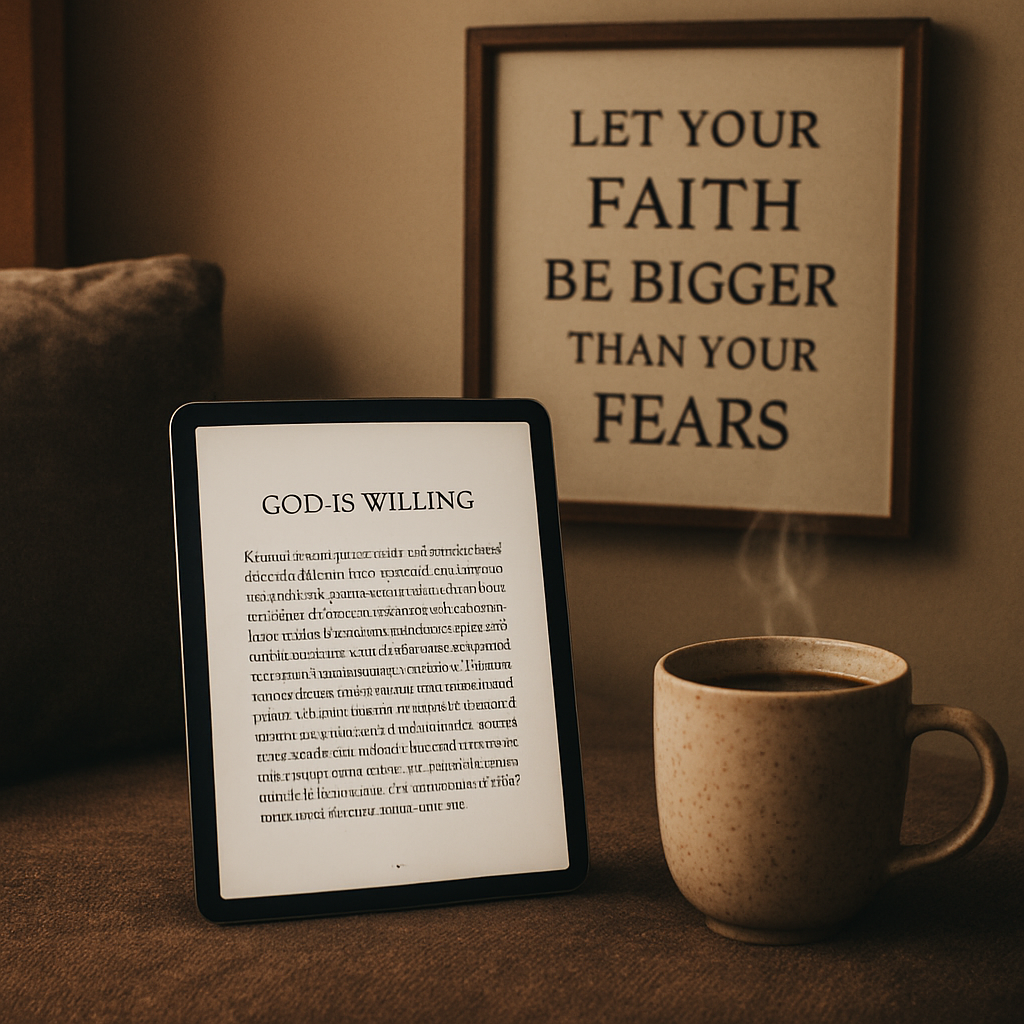
By the end of this step, you’ll have a shortlist of PDFs you can trust, a clear method for vetting new titles, and a few extra comforts (like coffee and art) to make the whole experience richer.
Step 2: Evaluate Content Quality and Theological Accuracy
Why this matters
Let me be blunt: a pdf can look pretty and still steer you wrong theologically.
You're not just downloading words, you're inviting a voice into prayer time. So we have to vet both craft and creed.
Quick checklist to bring clarity
Before you read a single page, run this mini‑audit:
- Author credentials and ministry ties listed?
- Clear citations to Bible passages and reputable commentaries?
- Footnotes or bibliography for claims about doctrine or history?
- Does the tone match orthodox Christian teaching for your tradition?
- Are bold promises about miracles, guarantees, or secret formulas present?
Tick those boxes. If you can't tick most, pause.
Step‑by‑step: a practical evaluation routine
1) Scan for author identity. Legit writers show a ministry, denominational accountability, or a seminary connection. Anonymous devotionals are a red flag.
2) Check Scripture handling. Do quotes show context (book, chapter, verse)? Are quotations accurate or paraphrased in ways that change meaning?
3) Look for theology vs. application. Good ebooks separate doctrine (what the Bible teaches) from application (how you live it out). If those blur, you may be reading opinion disguised as Scripture.
4) Verify sources. A trustworthy pdf cites commentaries, church fathers, or seminary research. If something sounds like a sweeping doctrinal claim with zero sourcing, be skeptical.
5) Test for pastoral sensitivity. Is the counsel loving and humble, or does it demand instant compliance with checklists and secret rules?
Want something concrete to try right now?
Open any chapter and find one major claim. Ask: “Where does this come from?” If the ebook names no source, try a quick cross‑check with a trusted academic or denominational resource before you accept it.
Real‑world examples
Example 1: A devotional promises “if you do X, God will always bless you.” Problem: unconditional guarantees like that ignore biblical nuance about suffering and sovereignty. Real teaching will acknowledge exceptions and cite Scripture.
Example 2: A theological primer references church history but lists no authors. Better practice: it should point to primary sources or to seminary work. For standards on theological education and quality, see guidance from expert bodies that evaluate seminaries and doctrine carefully.
Want to read deeper on institutional quality? The Association of Theological Schools discusses standards for accreditation and academic soundness, which is a helpful benchmark when evaluating authors who claim theological training or academic standing (ATS guidance on theological education and quality).
Red flags and green lights
Red flags: sweeping promises, anonymous authorship, no Scripture context, charges against mainstream orthodox beliefs, pressure to buy stuff.
Green lights: clear sourcing, humility about mystery, pastoral tone, transparency about doctrine, and invitations to test the text against Scripture and community counsel.
Final, doable steps you can take today
Read the preview pages. Scan the bibliography. Cross‑check one doctrinal claim with your pastor or a trusted theology book.
And if you want a disciplined way to decide, use the checklist above every time you open a new christian ebook pdf.
Does that feel doable? It is. With a few habits, you’ll stop guessing and start choosing PDFs that truly help you grow.
Step 3: Compare Popular Christian eBook PDF Collections
Now that you’ve learned how to spot a trustworthy source and how to audit the content, the next logical move is to line up a few collections side by side. It’s a bit like walking into a bookstore and holding three books up to the light, asking yourself which one feels like it was written for your season.
Does the idea of a quick comparison help calm the overwhelm? Let’s walk through three collections that many of our readers keep coming back to.
What to look at when you compare
First, ask yourself what matters most right now: deep theological grounding, practical daily devotion, or a blend of both. Then note the format – some PDFs are designed for quick skim‑reading on a phone, others read more like a short book you’d curl up with.
Here’s a quick cheat‑sheet you can print or pin to your phone.
| Collection | Primary Focus | Typical Length | Key Strength |
|---|---|---|---|
| Divine Direction | Every‑day guidance rooted in Scripture | ≈ 45 pages | Clear, actionable steps; easy to bookmark |
| God Is Willing | Theology of God’s promises | ≈ 70 pages | Deep biblical citations; great for study groups |
| Why God Disciplines Us | Understanding discipline as love | ≈ 55 pages | Compassionate tone; includes personal reflection prompts |
Take a moment to glance at the table. Which column grabs your eye? If you’re looking for quick daily nudges, “Divine Direction” might be your go‑to. If you want a deeper dive for a Bible study night, “God Is Willing” offers more heft.
And what about the reading experience? Some PDFs are peppered with large headings and pull‑quotes that make scrolling on a phone feel natural. Others feel more like a printed booklet, which can be nice if you prefer a slower, contemplative pace.
So, how do you decide?
One practical trick: download the free preview of each collection (most of them offer a few sample pages). Open them on the device you’ll use most – maybe your phone during a commute, or your tablet at night. Notice how the layout feels, how the language flows, and whether the author’s voice resonates with you.
Here’s a short video that walks you through exactly how to compare those preview pages side by side. It’s a visual guide that saves you a few clicks.
After you watch, ask yourself: does the PDF feel like a conversation with a mentor, or more like a lecture? Does it give you space to write notes, or does it lock you into a linear read?
Another factor is the theological lens. While all three stay within orthodox Christianity, their denominational flavor can differ. “Divine Direction” leans toward a broad evangelical tone, “God Is Willing” leans a bit more Reformed, and “Why God Disciplines Us” brings a pastoral, counseling‑oriented vibe.
That matters if you’re sharing the PDF with a small group that already has a particular tradition. You don’t want to cause unnecessary friction.
Finally, consider the extra goodies. Some collections bundle printable journal pages, a short audio devotional, or a checklist you can tick off each day. Those extras can turn a simple PDF into a habit‑forming toolkit.
To sum up, the best way to compare is to line up three criteria: purpose, format, and added value. Use the table as a quick reference, test the previews, and trust your gut about the author’s voice.
When you’ve narrowed it down, pick the one that feels like the right companion for your current season. Then set a reminder to read a page each morning – that’s the real magic of a good christian ebook pdf.
Step 4: Download Safely and Manage Your Christian eBook PDFs
Ever felt that little knot in your stomach when you click ‘download’ and wonder if the file is safe? You’re not alone. That nervous flutter is actually a good thing—it means you’re protecting your time with God, not wasting it on a corrupt file.
Let’s walk through a no‑stress system that turns that anxiety into confidence. By the end you’ll have a tidy, secure library of christian ebook pdfs that you can open on any device, anywhere.
1. Double‑check the source
First, make sure the URL starts with https:// and the site displays a padlock icon. A secure connection means the file is encrypted during transfer, which dramatically reduces the risk of tampering.
If you’re on a site you’ve never visited, search the domain name for reviews or ask in a trusted forum. In our experience, reputable ministries and established publishers always use HTTPS.
2. Choose a trustworthy PDF reader
Don’t rely on a random browser plug‑in that might slip in ads or spyware. Good old Adobe Reader is still the gold standard, and you can grab it safely from a page that even mentions the need for a PDF reader on the Questions God ebook list.
If you prefer a lighter app, look for ones with a strong privacy policy and regular updates—your phone’s app store is a good place to verify that.
3. Scan before you open
Before you double‑tap, run the file through a free online scanner like VirusTotal (just search for it; no need to link). That extra 10‑second step catches the occasional malicious PDF that pretends to be a devotional.
Most readers will warn you if the file contains embedded scripts. If you see a warning, delete the file and look for a cleaner version.
4. Organize with a clear folder system
Create a master folder called “Christian eBook PDFs” on your computer or external drive. Inside, break it down by theme: “Devotionals,” “Theology,” “Wellness,” etc.
Sarah, a busy mom of two, swears by a simple structure: Year > Topic > Author. When she wants a quick morning read, she just opens 2024/Devotionals/Divine‑Direction and she’s set.
5. Back up, back up, back up
One unexpected power outage wiped out my entire library once. Since then, I always keep two copies: one on a cloud service (Google Drive, Dropbox, or iCloud) and one on an external SSD.
Mark, a college student, uses the free tier of OneDrive to auto‑sync his PDFs. When his laptop died, the same files were waiting on his phone—no panic, just peace.
6. Tag and add metadata
Most PDF readers let you edit the document properties. Fill in fields like “Author,” “Keywords,” and “Subject.” That way, a quick search for “prayer” pulls up every relevant ebook without you opening each file.
Try a naming convention like 2024_God‑Is‑Willing_Devotional.pdf. The date helps you see which resources are fresh, and the title tells you exactly what you’ll get.
7. Sync across devices for seamless reading
Once your PDFs sit in a cloud folder, install the same app on your phone, tablet, and laptop. Most cloud services offer offline access, so you can still read on a flight with no Wi‑Fi.
When you add a new ebook, it appears instantly on every device—no extra emailing or USB drives needed.
Quick checklist before you click ‘download’
- Is the URL HTTPS and does it show a padlock?
- Does the site provide a preview or sample page?
- Did you scan the file with an online virus checker?
- Are you using a reputable PDF reader like Adobe Reader?
- Have you placed the file in your organized folder structure?
- Is the file backed up to cloud and/or external storage?
- Did you add useful metadata for future searches?
Follow these steps and you’ll turn the act of downloading into a spiritual habit of discernment—just like you’d pause before making a big life decision.
Ready to build a safe, searchable library that fuels your daily walk?

Step 5: Leverage Christian eBook PDFs for Personal Growth and Community Study
Why a PDF can become a habit‑forming companion
Ever notice how a tiny file on your phone can feel like a pocket‑sized mentor? That’s the power of a christian ebook pdf. It’s instantly portable, searchable, and easy to annotate – perfect for those moments when you need a quick lift or a deeper dive.
And because it lives in your digital library, you can pull it out whenever the Spirit nudges you, whether you’re sipping coffee at the kitchen table or waiting in a doctor’s office.
Turn solo reading into personal growth
First, treat each pdf like a mini‑spiritual workout. Open a chapter, highlight a verse that speaks to your current season, then jot a quick note in the margins. Over time you’ll see patterns – maybe a recurring promise, a theme of surrender, or a reminder to practice gratitude.
Does that sound a bit like journaling? It is. The difference is you’re anchoring every insight to Scripture, so the habit feels both reflective and biblically grounded.
Here’s a simple three‑step loop you can try tonight:
- Read a 5‑minute passage (one or two pages).
- Highlight the sentence that makes your heart stir.
- Write a one‑sentence prayer or action point right in the pdf’s comment box.
Do it daily for a week and you’ll notice a gentle shift – you start looking for God’s voice in everyday moments.
Bring a group into the conversation
Now picture a small study group, maybe a women’s circle or a men’s breakfast club. Instead of each person bringing a different book, everyone opens the same christian ebook pdf on their device. Suddenly you have a shared page, a shared language.
Because PDFs let you add comments, you can ask a question in the margin and let others reply right there. It’s like a digital “sticky note” that travels with the text.
Try this for your next meeting:
- Pick a short devotional pdf (around 20‑30 pages).
- Assign each person a section to read before the gathering.
- During the meeting, open the pdf together on a screen and discuss the highlighted verses and comments.
Notice how the conversation stays focused – you’re not wandering off into unrelated topics because the text keeps pulling you back.
Use the pdf as a springboard for community projects
Maybe your church wants to start a “Prayer Walk” initiative. Choose a pdf that explores biblical stewardship or compassion. Pull out actionable prompts, turn them into weekly challenges, and track progress in the pdf’s built‑in bookmark system.
Or think about a virtual “book‑club” where members submit a short video testimony after each reading. The pdf becomes the curriculum, the comments become the discussion board, and the community grows together.
Practical tech tips for seamless sharing
Store the pdf in a shared cloud folder (Google Drive, Dropbox, or iCloud) and give your group “view‑only” access. That way everyone sees the same version and can add their own highlights without overwriting others’ notes.
Set up a simple naming convention so you can find the file fast, e.g., 2024_Community_Study_GodIsWilling.pdf. When you search your library, the right resource pops up instantly.
Finally, back up the file just like you would a cherished photo album – one copy in the cloud, another on an external SSD. You’ll thank yourself if a device crashes right before a big study night.
Make it a daily ritual, not a chore
What’s the easiest way to keep the momentum? Pair the pdf with something you already love – a morning cup of tea, a short walk, or a favorite worship playlist. The ritual cue tells your brain, “It’s time for a spiritual sip.”
And remember, it’s okay if you miss a day. The beauty of a pdf is you can always pick up right where you left off, no page numbers to flip back to.
So, how will you let a christian ebook pdf shape your personal growth and your community’s study life? Grab a title that speaks to your season, set a tiny habit, and watch the transformation unfold, one highlighted verse at a time.
Additional Resources and Recommended Services
When you’ve found a christian ebook pdf that speaks to your season, the next question is “what else can I lean on to keep the momentum alive?”
First, think about complementary media. A short audio version of the same title can turn a commute into a listening prayer. Many of our readers pair the PDF with a guided meditation app—just hit play, close your eyes, and let the words settle.
Practical next‑steps
- Download a free PDF annotator (Adobe Reader, Foxit, or your phone’s built‑in notes). Highlight one verse each day and write a one‑sentence promise in the margin.
- Set a reminder in your calendar to revisit those highlights after a week. Notice patterns? That’s where growth is happening.
- Join a small‑group study on a platform like digital‑platform usage research to see how others structure their reading time.
- Pair the ebook with a short devotional journal. Write down how the passage applied to a conversation you had that day.
If you’re looking for deeper guidance, our spiritual counseling service offers one‑on‑one sessions that help you translate the PDF insights into real‑life decisions. Think of it as a personal coach who walks beside you while you unpack Scripture.
Speaking engagements are another way to cement what you’ve learned. Invite a friend over for a “coffee‑and‑chapter” night—each of you brings a favorite passage, you discuss its impact, and you leave with fresh encouragement.
Finally, keep a master folder on your cloud drive named “Christian Ebook PDFs.” Inside, create sub‑folders for “Devotionals,” “Theology,” and “Life‑Application.” A tidy system means you’ll spend less time hunting and more time growing.
Does any of this feel overwhelming? Take one tiny habit—like highlighting a verse tonight—and watch how the rest falls into place.
Conclusion
We've walked through how to spot a trustworthy source, check theological accuracy, compare collections, and keep your PDFs safe and organized. All those steps point to one simple truth: a well‑chosen christian ebook pdf can become a quiet companion that nudges you toward deeper faith.
So, what’s the next move? Grab a title that matches the season you're in—maybe "Divine Direction" for daily guidance or "God Is Willing" for a deeper study. Open it on your favorite device, highlight one verse, and write a quick note about how it speaks to your day.
Remember, the habit forms in tiny moments. A five‑minute read during your morning coffee, a quick scroll on the commute, or a short reflection before bed—that's enough to keep the momentum going.
If you ever feel stuck, go back to the checklist we built: secure source, clear author, solid citations, and a tidy folder system. Let those anchors pull you back into the habit.
In the end, the PDF isn’t just a file; it’s a doorway. Step through it, let the words settle, and watch how small daily steps add up to lasting spiritual growth.
Ready to start? Pick a pdf today, set a reminder, and let the journey begin.
FAQ
Here are some of the most common questions we hear from people looking for a reliable christian ebook pdf and practical ways to make the most of it.
How can I tell if a christian ebook pdf comes from a trustworthy source?
First, check that the website uses HTTPS and displays a clear author bio or ministry affiliation. Look for a preview page that shows the title, table of contents, and a sample chapter—legitimate publishers usually provide that. Cross‑reference the ISBN or product code with a known retailer, and skim the “About the Author” section for credentials like seminary training or church leadership. Those simple steps usually filter out the sketchy downloads.
What signs indicate theological accuracy in a christian ebook pdf?
Reliable PDFs cite Scripture with chapter and verse, and they reference reputable commentaries or historic confessions. The author should distinguish between personal application and doctrinal statements, and avoid blanket promises like “this will guarantee miracles.” A bibliography or footnotes at the end is a good red flag that the writer has done the homework. When in doubt, compare a quoted verse with a trusted Bible study tool.
Can I read a christian ebook pdf on any device I own?
Yes—most PDFs are platform‑agnostic. They open on Windows, macOS, Android, and iOS using free readers like Adobe Acrobat Reader or built‑in apps. Just make sure the file isn’t password‑protected unless you’ve been given the code. If you plan to annotate, pick a reader that lets you highlight and add comments; those notes sync across devices when you store the file in a cloud folder.
How should I organize my christian ebook pdf collection for quick access?
Start with a master folder named “Christian eBook PDFs,” then create subfolders by theme—“Devotionals,” “Theology,” “Wellness,” etc. Within each, add the author’s name and year in the file name, like 2024_God‑Is‑Willing_Devotional.pdf. Tag the PDF’s metadata fields (Author, Keywords, Subject) with relevant terms such as “prayer” or “grace.” A quick search will pull up exactly what you need in seconds. You can also use color‑coded tags for seasonal reads, making it even easier to pick a PDF that matches your current life stage.
Is it safe to download free christian ebook pdfs from the internet?
Free PDFs can be safe, but you still need to run a quick virus scan—sites like VirusTotal are free and fast. Verify the URL ends in “.pdf” and not a zip file that hides extra executables. Avoid sites that demand unrelated software installs or pop‑up ads. When the source checks the boxes we mentioned—HTTPS, author info, preview—most free files are fine to add to your library.
What’s a good habit for using a christian ebook pdf in daily devotions?
Pick a 5‑minute window—maybe with your morning coffee—and open a single section of the PDF. Highlight one verse that jumps out, then use the comment feature to write a short prayer or action point. Over the week, review your highlights and see how the same theme recurs. That tiny loop turns a static file into a living conversation with God.
What should I do if I have questions about the content in a christian ebook pdf?
Start by checking the bibliography for the original source of the claim and look it up in a trusted study Bible or online resource. If the answer is still unclear, bring the question to a small‑group discussion or ask a pastor you trust. Many readers also post thoughtful queries in a church’s online forum, where seasoned believers can provide balanced feedback. Having that dialogue helps you apply the pdf’s insights without wandering into speculation.