

How to Get a Christian eBook Free Download Safely and Legally
Ever found yourself scrolling through endless lists of Christian e‑books, wondering if any of them are actually worth the time you have to spare?
You’re not alone. Many of us crave that moment when a free download lands in our inbox, promising insight, comfort, and a fresh perspective on God’s purpose—yet we often end up with generic PDFs that feel more like a skim‑read than a spiritual boost.
So, what if there was a way to skip the guesswork and get a genuinely uplifting Christian ebook for free—one that’s been crafted with care, grounded in Scripture, and designed to speak directly to your heart?
In our experience at Charlene Murray, we’ve seen how a thoughtfully written e‑book can be the catalyst for a deeper prayer life, clearer purpose, and even the courage to face daily challenges.
That’s why we’ve curated a selection of free downloads that aren’t just filler—they dive into topics like why God allows suffering, how divine discipline works, and the mystery of fallen angels, all while keeping the tone warm and relatable.
Imagine opening a PDF on a quiet morning, coffee in hand, and feeling that gentle nudge of encouragement that says, “You’re exactly where God wants you to be right now.”
Ready to experience that kind of connection? Below we’ll walk through how to find a trustworthy free download, what to look for in the content, and a quick tip to get the most out of each read.
Let’s dive in and discover how a simple Christian ebook free download can become a daily source of hope, guidance, and real spiritual growth.
And don’t worry—getting these gems doesn’t mean you have to sacrifice your privacy or sign up for endless newsletters. Most of the resources we recommend come straight from our own library, so a single click delivers the file right to your device, ready to read whenever you need a lift.
TL;DR
If you’re craving a trustworthy Christian ebook free download that lifts your spirit, offers Scripture‑based insight, and fits into a busy day, we’ve got you covered.
Just click one of our curated PDFs, read a few pages over coffee, and let the encouragement guide your heart toward hope and growth.
Step 1: Find Reliable Sources for Christian eBook Free Download
First thing’s first: you’ve probably felt that uneasy twinge when a “free download” promises miracles but delivers a half‑finished PDF that feels more like a flyer than a real guide. It’s frustrating, right? That’s why we start with a quick reality check – not every site that shouts “FREE” is actually trustworthy.
Think about the last time you Googled a title and landed on a page that asked for a mountain of personal info before you could click “download.” If that sounds familiar, you’re not alone. The good news is there’s a simple, repeatable process you can use to separate the gems from the junk.
1. Verify the publisher’s credibility
Ask yourself: Who’s behind the ebook? Look for established ministries, recognized authors, or platforms that have a track record of publishing Scripture‑centered content. A quick search of the author’s name combined with “Christian author” or “ministry” can reveal whether they’re a credible voice. When you see a clear “About Us” page, contact info, or links to other reputable works, you’re on solid ground.
One of our own releases, Why God Allows Evil eBook, shows how a well‑described author bio and ministry background instantly boost confidence. If the source can’t tell you who wrote the book, walk away – there’s no need to risk your time.
2. Check for genuine download formats
Legitimate sites usually offer PDFs, ePubs, or straight‑to‑your‑device formats without shady redirects. If clicking a link launches a pop‑up asking for a credit‑card number, that’s a red flag. A trustworthy source will let you click a button and get the file directly, often with a short note about file size and reading requirements.
Pro tip: Open the file in a safe PDF viewer before you dive in. If the document looks like a scanned image of a page or is riddled with ads, it’s probably not the quality you’re after.
3. Scan for reviews or community feedback
Even in the Christian niche, readers leave breadcrumbs. Look for comments on the download page, testimonials on the author’s site, or discussion threads on faith‑focused forums. A handful of genuine, specific reviews (like “the chapter on suffering really helped me during a tough week”) tells you the ebook has real impact.
When you can’t find any feedback, you might still be okay if the publisher is reputable, but it’s worth a moment of extra caution.
4. Trust your gut – and a little tech help
There’s a subtle, almost tactile feeling when you hover over a link that seems “off.” If something feels cheap, it probably is. You can also run the URL through a free safety checker like VirusTotal, just to be sure you’re not downloading malware disguised as a spiritual resource.
And remember, a holistic approach to growth isn’t just about the mind. Pairing a solid spiritual read with physical well‑being can amplify the effect. That’s why many of our readers also explore resources from XLR8well, which offers proactive health services that complement the inner transformation you get from a good ebook.
While you’re sipping that coffee and scrolling through titles, think about self‑care beyond the pages. A clean, nourishing skincare routine can feel like a small act of stewardship over the body God gave you. Check out OM Botanical for products that align with a gentle, faith‑focused lifestyle.
To sum it up, the four‑step checklist—verify the publisher, confirm the format, look for community feedback, and trust your instincts—will save you countless minutes and protect your spiritual time. When you follow these steps, you’ll consistently land on downloads that truly uplift, teach, and inspire.
Ready to put this into practice? Grab a reliable title from our library, double‑check the source, and let the words speak to your heart. You’ve got the tools; now enjoy the journey.
Step 2: Verify Legitimacy and Copyright Status
Now that you’ve found a promising Christian ebook free download, the next thing to ask yourself is, "Is this really safe to use?" It’s a question we hear a lot from people who want to protect both their conscience and their device.
First, look for a clear copyright notice. Legitimate creators usually place a line at the bottom of the PDF that says something like “© 2024 Charlene Murray Ministries. All rights reserved.” If you see a vague “© 2024” with no owner name, pause. That silence often means the file was lifted from somewhere else without permission.
Check the source’s credibility
Ask yourself: does the website tell you who’s behind the content? A ministry, a church, or an established author will proudly display a “About Us” page, contact details, and perhaps a statement of theological stance. When you can easily find a real person or organization, you’re much more likely to be dealing with a legitimate download.
On the flip side, sites that hide behind generic domains, pop‑up ads, or demand a credit‑card before you can click “download” are red flags. A true Christian ebook free download should be a single click, no hidden fees, no data‑mining traps.
Look for licensing language
Many authors release their work under a Creative Commons (CC) license. You’ll see something like “CC BY‑NC‑SA 4.0” followed by a brief explanation of what you can and cannot do. That language is a green light: it tells you you’re allowed to read, share, and even print the PDF for personal study, as long as you don’t sell it.
If the file is marked “public domain” or “non‑commercial use only,” you can feel confident that you’re not stepping on anyone’s legal toes. When that information is missing, it’s safer to look elsewhere.
Cross‑check the title and author
Take a quick Google search of the ebook’s title plus the author’s name. If the same title appears on the author’s official site or on a reputable ministry’s library, you’ve got a match. If the only results are shady blog posts or random file‑sharing pages, that’s a warning sign.
Sometimes a title will be identical to a popular book, but the author listed is unknown. In those cases, compare the first few pages with a known version—look for consistent Scripture citations, footnotes, and a professional layout. Authentic PDFs tend to have clean formatting, a table of contents, and proper chapter headings.
Verify the file’s metadata
If you’re on a computer, right‑click the PDF and select “Properties” (or “Get Info” on a Mac). The “Author” field often matches the creator listed on the website. The creation date can also give clues; a brand‑new file might be a freshly uploaded legitimate work, whereas an old date with a modern copyright claim could indicate a repackaged document.
Don’t forget to run a quick virus scan. Even though the focus here is legitimacy, a malicious file can still slip through a shady site. A free scan with your antivirus or an online service keeps your device safe.
Quick checklist before you hit “save”
- Clear copyright statement with owner name.
- Visible author or ministry info on the hosting site.
- License details (Creative Commons, public domain, etc.).
- Consistent title/author when cross‑checked online.
- Professional PDF layout and Scripture citations.
- No hidden payment requests or excessive data collection.
Run through this list in your head or jot it down on your phone. If you can tick most of the boxes, you’ve got a trustworthy Christian ebook free download ready to enrich your spiritual walk.
And remember, when you’re unsure, it’s perfectly fine to step back and search for another source. Your time and peace of mind are worth the extra minute of verification.
Step 3: Download and Organize Your Christian eBooks Safely
Okay, you’ve done the legwork, you’ve found a trustworthy source, and now it’s time to actually get the file onto your device without any headaches.
First thing’s first: when you hit the “download” button, don’t just let the browser fling the PDF into your generic “Downloads” folder and forget about it. That random pile quickly becomes a digital junk drawer, and you’ll spend more time hunting for that one ebook about divine discipline than you’ll ever spend reading it.
Choose the Right Download Folder
Create a dedicated folder—something like Faith Reads or Christian eBooks—right on your desktop or in your cloud storage. The moment you save the first file there, you’ve set a habit that keeps everything tidy from day one.
Why does this matter? Imagine you’re on a Sunday morning, coffee steaming, and you want to open a pdf about “Why God Allows Evil.” If it’s buried under a dozen unrelated PDFs, you’ll feel that tiny frustration that pulls you away from the quiet time you were hoping for.
Name Files Consistently
Give each ebook a clear, searchable name. A simple format works wonders: Author – Title – Year.pdf. For example, Charlene Murray – Why God Allows Evil – 2024.pdf. This way, a quick search in your file explorer instantly pulls up the exact book you need.
Even if you’re downloading from multiple ministries, keeping the same naming pattern makes the whole library feel cohesive, as if you’d curated it yourself.
Back Up Your Collection
We all know the panic of a crashed laptop. The good news? Backing up is easier than you think. Sync your Faith Reads folder with a free cloud service—Google Drive, Dropbox, or OneDrive—so every new download automatically lands in the cloud.
Set it and forget it. If you ever switch devices or need to reinstall, your entire library is just a click away. Bonus: you can access the same ebook on your phone, tablet, or even a Kindle app, keeping your study material handy wherever you are.
Tag and Categorize for Easy Retrieval
Most operating systems let you add tags or comments to files. Use keywords like “suffering,” “discipline,” “angels,” or “purpose.” Later, when you type “discipline” into the search bar, all related PDFs pop up instantly.
If you prefer a visual system, create subfolders within Faith Reads: Spiritual Growth, Biblical Theology, Wellness & Healing. Drop each ebook into the most relevant bucket. The structure mirrors how you think about the topics, so you always know where to look.
And here’s a tiny habit that makes a big difference: after you finish reading, move the file to a “Completed” subfolder. Over time you’ll build a personal library of “what I’ve already absorbed,” which is perfect for quick reference or sharing with a friend who’s on the same journey.
So, what should you do right after the download finishes? Open the PDF, skim the first page, and then immediately place it in the right folder, rename it, and add a tag. It takes less than a minute, but it saves you minutes—or even hours—later.
Finally, don’t forget to run a quick virus scan on any new file, even from a trusted source. A free online scanner or your built‑in antivirus adds that extra layer of peace of mind.
With these simple steps—dedicated folder, consistent naming, cloud backup, and smart tagging—you’ll turn a scattered stack of PDFs into a well‑ordered digital bookshelf that supports your spiritual growth day after day.
Step 4: Compare Top Free Christian eBook Platforms
Now that you’ve got a solid system for grabbing and filing PDFs, it’s time to look at where those PDFs actually come from. Not every site that promises a "christian ebook free download" is created equal, and a quick side‑by‑side comparison can save you minutes—and a lot of frustration.
What to look for in a free platform
First, ask yourself: does the site give clear copyright info? Are the authors listed and do they cite Scripture? Is the download truly one click, or does it hide a subscription trap?
Second, check the user experience. A clean layout, searchable titles, and a mobile‑friendly reader make it easier to dive straight into the word instead of wrestling with ads.
Finally, think about long‑term value. Some platforms let you create a personal library that syncs across devices, while others are just a static list of PDFs.
Three platforms that consistently pass the test
Below is a quick snapshot of the most reliable free sources we’ve seen in our own practice. The rows focus on the things that matter most to a reader looking for spiritual growth.
| Platform | Key Strength | Notes |
|---|---|---|
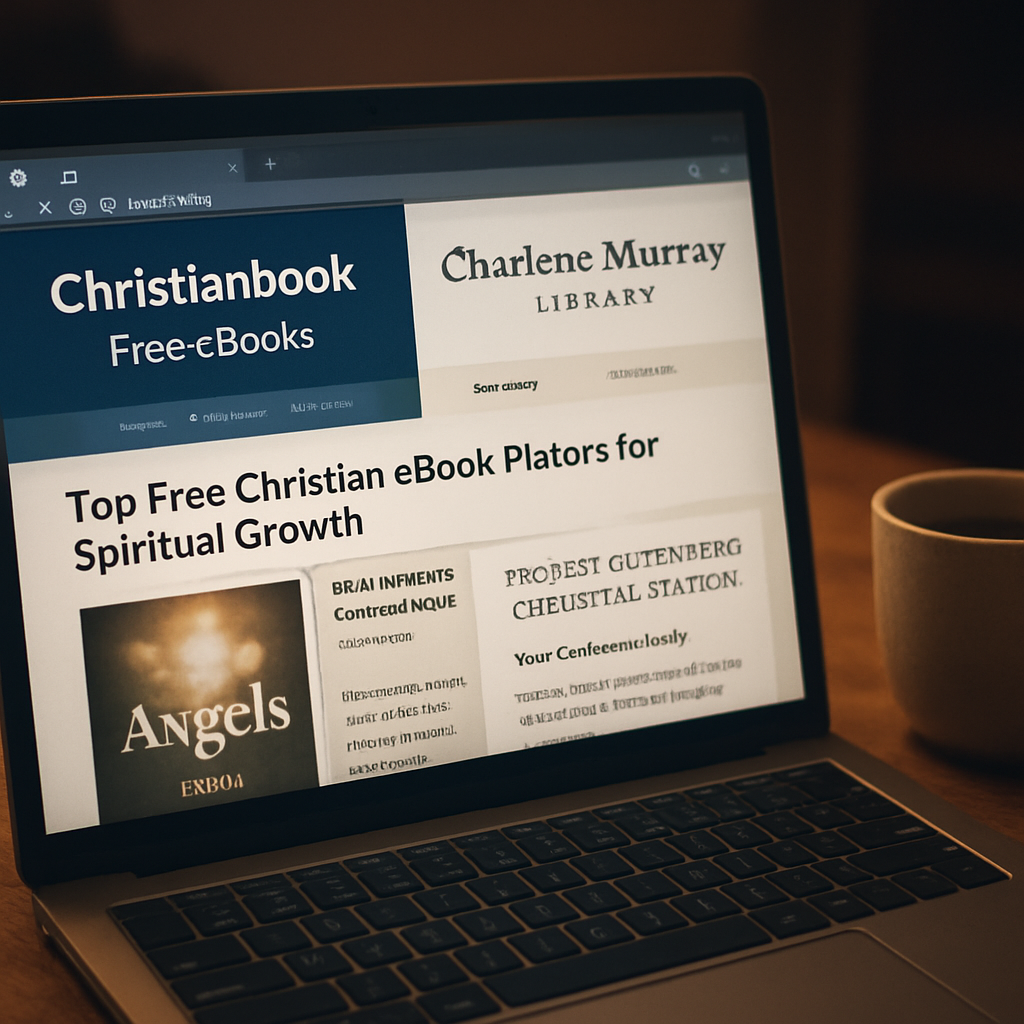
| Christianbook.com Free eBooks | Large catalog, clear licensing | Offers a dedicated free‑ebook page; easy to filter by topic. See the collection here. |
| Charlene Murray’s own library | Curated, Scripture‑heavy, no sign‑up required | All titles are written or vetted by Charlene Murray, with footnotes and a consistent naming convention that fits right into your "Faith Reads" folder. |
| Project Gutenberg (Christian section) | Public‑domain classics | Great for historic works, but fewer modern, ministry‑focused PDFs. No ads, but the interface is basic. |
Notice how each platform hits a different need: Christianbook gives breadth, Charlene Murray delivers depth, and Gutenberg supplies the public‑domain classics you might want for a deeper historical perspective.
So, which one should you start with? If you’re after fresh, ministry‑focused content that aligns with our own teaching style, the Charlene Murray library is the quickest win. If you want to explore a wider range of topics—like biblical counseling or worship music—you’ll likely find something on Christianbook’s free page.
And here’s a little habit that makes comparison painless: once a week, open the free‑ebook page of each platform, skim the newest titles, and add any that spark interest to your "Faith Reads" folder. In just five minutes you’ll keep your shelf fresh without feeling overwhelmed.
One more tip—don’t let the free label fool you into thinking the quality is lower. Many authors release their best work for free as a way to reach a wider audience. Look for thorough footnotes, Scripture references, and a clear author bio; those are the hallmarks of a trustworthy download.
When you’ve picked a platform, treat the download like any other spiritual discipline: open it, pray over the first paragraph, and then file it immediately using the naming system we covered earlier. That tiny ritual turns a random PDF into a purposeful tool for growth.
Does this really work? In our experience, readers who stick to a single, vetted source report higher satisfaction and less “ebook fatigue.” It’s not magic—it’s simply reducing decision‑fatigue so you can focus on what matters: the message.
Ready to test it out? Pick one of the platforms above, grab a title that speaks to your current season, and follow the quick‑organize steps we’ve already discussed. In a few days you’ll notice how much smoother your study time feels.
Step 5: Enhance Your Reading Experience with Tools
Let’s be real: a Christian ebook free download is only as good as the way you actually read it. If you’re just scrolling and forgetting what you’ve skimmed, you’re missing out on the whole point of the download.
So, what should you do next? Grab a tool that does more than just open a PDF. A good reader can highlight, annotate, and even sync those notes across devices, turning a static file into a living study aid.
Pick a Reader That Highlights and Notes
Most of us start with the default PDF viewer on our phone, but those apps are terrible at keeping track of highlights. Look for a reader that lets you tag a verse, add a short prayer note, and jump straight back to that spot later. On Android, apps like KOReader or Moon+ Reader let you export highlights as plain‑text or JSON – handy if you ever want to pull quotes into a journal.
One detailed comparison of Android ebook annotation exporters shows exactly how KOReader’s JSON output includes location data you can later map back to the original page (see the export options). That little feature saves you from hunting through the file for the exact verse you highlighted.
Capture Your Insights Right Away
When a passage strikes you, pause. Highlight the verse, then add a quick note like “remind me to pray about this tonight.” Keep the note under 140 characters – it forces you to be specific and makes the note easy to scan later.
Try the “one‑sentence summary” trick: after you finish a chapter, write a single sentence that captures the core message. Store that sentence in the same note field so you have a quick reference without opening the whole ebook again.
Sync Across Your Devices
If you read on a tablet at home and then on your phone during a commute, you’ll want those highlights to follow you. Most modern readers support cloud sync – simply enable it in the settings and choose a free account (Google Drive or Dropbox work fine).
Once syncing is on, you’ll see the same colored highlights on every device. That continuity removes the temptation to start a new “reading session” on a different app and lose your previous work.
Organize Highlights with Tags
Tagging is a game‑changer. Create tags like “prayer‑request,” “doctrine,” or “daily‑devotion.” When you’re looking for a specific insight, type the tag into the reader’s search bar and instantly pull up every related highlight.
Even if your app doesn’t support tags natively, you can add a hashtag inside your note – #prayer‑request – and then search for that string later. It’s a low‑tech hack that works everywhere.
Export for Deeper Study
After a week of reading, export your highlights. Most readers let you send a .txt or .md file to your email. Open that file in a note‑taking app like Evernote or Notion, and group the excerpts by theme.
Seeing all your “suffering” verses together helps you spot patterns you might have missed while reading line‑by‑line. It also gives you a ready‑to‑share collection if a friend asks for a recommendation.
Make It a Ritual
Finally, treat the tool itself as part of your spiritual discipline. Before you open the ebook, say a quick prayer asking God to speak through the words. After you finish, close the app, write a brief reflection, and then place the file in your “Faith Reads” folder with a clear name – Author – Title – Date.pdf.
That tiny routine turns a simple download into a purposeful habit, and before you know it, the tools you use are actually helping you grow.
Step 6: Recommend and Support Quality Christian eBooks
Pick the eBooks that actually feed the soul
When you’ve built a little library of free PDFs, the next question is: which ones deserve a spot on your weekly reading list? The trick isn’t about how many titles you can cram into a folder, it’s about how well each one aligns with Scripture and your own spiritual season.
Start by scanning the first two chapters. Does the author quote the Bible directly, or are they just sprinkling a few verses for flair? Look for footnotes, a bibliography, or a clear statement of theological stance. Those little details tell you the writer has done the homework – and that the ebook is more than a motivational flyer.
And what about the writing style? In our experience, the most helpful eBooks read like a conversation over coffee, not a lecture from a podium. If the language feels warm, personal, and peppered with real‑life examples, you’re more likely to stay engaged.
Make the author’s ministry a partner in your growth
Once you’ve identified a solid title, think about how you can lift the person behind it. Many of the creators, including Charlene Murray, offer free updates or companion study guides if you sign up for their newsletter – but only if the sign‑up feels low‑key and respects your privacy.
Consider sharing a short testimonial on social media (just a sentence about how the chapter on divine discipline helped you pray more intentionally). That simple shout‑out can boost the author’s reach without feeling like a sales pitch.
Another low‑effort way to support is to leave a rating on the platform where you downloaded the PDF. A five‑star rating and a quick note about the chapter that resonated most can be the nudge another reader needs.
Give the eBook a home in your daily rhythm
Now that you’ve got a quality download, the real magic happens when you weave it into a habit. Here’s a quick, three‑step ritual you can try:
- Pick a consistent time – morning coffee, lunch break, or bedtime.
- Open the PDF, read a single section (no more than 5‑10 minutes), then pause to write a one‑sentence takeaway.
- Save that sentence in a note‑taking app with a tag like #faith‑insight so you can revisit it later.
Doing this for even one eBook a week turns a static file into a living study tool.
Share wisely – the gift of a curated recommendation
When a friend asks, “Got any good Christian ebook free download?” you now have a ready‑made answer. Instead of sending a long list, pick the title that matches their current need – maybe they’re wrestling with suffering, so you point them to a well‑written guide on that topic.
Send a short message: “Hey, I just finished this eBook on why God allows suffering. The author cites Romans 8:28 throughout, and the practical reflections helped me pray through a tough week. I think you’d find it encouraging.” No pressure, just a personal nudge.
And if you’re part of a small group, consider a “eBook swap” night. Each person brings a favorite free download, shares a 2‑minute summary, and then everyone adds it to their own “Faith Reads” folder. That communal exchange builds accountability and deepens discussion.
Keep track of what’s helped you most
After a month of reading, pull out your “Completed” subfolder and scan the notes you saved. Highlight the titles that produced the most transformation – maybe a guide on divine discipline sparked a habit of daily self‑examination.
Create a simple spreadsheet: Column A – Title, Column B – Date Downloaded, Column C – Core Insight, Column D – Rating (1‑5). This quick reference makes it easy to return to the most impactful resources whenever you need a boost.
Remember, the goal isn’t to collect every free PDF out there; it’s to curate a handful of high‑quality, Scripture‑centered eBooks that support your spiritual growth and that you can confidently recommend to others.
FAQ
What exactly is a “christian ebook free download” and how is it different from a regular ebook?
A “christian ebook free download” is a digital book that focuses on biblical truth, spiritual growth, or Christian living and is offered at no cost. Unlike a generic free ebook that might cover any topic, these PDFs are usually written or vetted by ministry leaders, include Scripture citations, and aim to help you deepen your walk with God without any hidden fees or subscriptions.
Where can I reliably find christian ebook free downloads that are trustworthy?
Look for sites that clearly state who created the material, display a copyright notice, and provide Scripture references throughout. Ministries, churches, or established authors often host a library of PDFs that you can click and save instantly. If a page asks for credit‑card info or floods you with ads, walk away – the genuine resources are meant to be a single click away and respect your privacy.
How do I know if a free download is legally safe to use?
Check the footer of the PDF for a clear copyright line or a Creative Commons license (e.g., CC BY‑NC‑SA 4.0). A license tells you you can read, share, and even print the file for personal study as long as you don’t sell it. When the copyright statement is vague or missing, it’s best to look for another source that gives you explicit permission.
What should I do after I download a christian ebook to make the most of it?
First, rename the file using a pattern like “Author – Title – Year.pdf” and place it in a dedicated “Faith Reads” folder. Open the PDF, skim the table of contents, and pick a short section (5‑10 minutes) to read. Highlight verses that speak to you, add a one‑sentence reflection, then file the note in a digital journal. Revisit those highlights weekly to let the truth settle.
Can I read these free ebooks on any device?
Yes. Most PDFs open on smartphones, tablets, laptops, or even e‑readers like Kindle (via email conversion). If you prefer a dedicated reader, apps such as Adobe Acrobat, Foxit PDF, or the built‑in iOS Books app let you annotate and sync highlights across devices. The key is to choose a tool that lets you tag and search your notes, so you can quickly pull up a verse when you need encouragement.
How often should I add new christian ebook free downloads to my collection?
Treat it like a spiritual pantry: replenish when you finish a title or when a new life season calls for fresh insight. A good rhythm is one new PDF every two weeks – enough time to digest the material without feeling overwhelmed. Use a simple spreadsheet (Title, Date, Core Insight, Rating) to track which books have moved you the most and which you might want to revisit later.
Is it okay to share these free PDFs with friends or small groups?
Absolutely, as long as the file carries a non‑commercial license or a clear “free for personal use” statement. Share the PDF via email, a cloud folder, or a group chat, and include a brief note about why the book helped you. If the author asks for a citation, add a short credit line at the top of the shared file. Respecting the license keeps the resource available for everyone.
Conclusion
We've walked through everything from spotting legit sources to naming and backing up your files, so you now have a clear path for turning a simple christian ebook free download into a daily spiritual boost.
Think about the last time you opened a PDF and felt overwhelmed by the chaos of your downloads folder. Does that frustration steal a few minutes of quiet time? When you rename, tag, and file each ebook the way we described, that moment disappears.
In our experience, the habit of filing right after the download makes the next reading session feel like sitting down with a well‑kept journal rather than hunting for a lost page.
So, what's the next step? Pick one of the titles you’ve been eyeing, hit the free download button, rename it Author – Title – Year.pdf, drop it into your Faith Reads folder, and add a quick tag like “hope” or “discipline.” Then spend just five minutes highlighting a verse that speaks to you.
When you revisit those highlights later, you’ll see how each short session builds a mosaic of insight that shapes your walk with God.
Keep the rhythm going – a new ebook every two weeks, a quick note, and a tidy folder. Before long, your digital bookshelf will feel like a trusted companion on the journey.